Exclusive Sneak Peek & Special Offer
Edit with Intention & Organize Your Catalog
Watch this quick walkthrough to see exactly how The Lightroom Series is structured, explore the video lessons, and preview the downloadable editing resources you get immediate access to.
Ready to Start Editing with Confidence?
Stop guessing with sliders and losing photos on messy hard drives. The Lightroom Series gives you a clear, step-by-step roadmap to streamline your catalog and build a clean, consistent signature style.
What’s Included Inside the Series:
Catalog & Hard Drive Organization: Build a bulletproof folder organization system, master importing/exporting, and fix missing files or broken links without panic.
Editing & Tone Adjustment: Confidently navigate Exposure, White Balance, HSL panels, and Tone Curves to create polished, timeless edits.
Advanced Masking & AI Tools: Harness subject, sky, and background masking tools to make your subjects pop and make precise local adjustments.
Speedy Batch Editing: Learn how to sync edits across full galleries, apply presets seamlessly, and export crisp, high-resolution images for web and print.
Downloadable Workflow Resources: Get instant access to catalog templates, workflow cheat sheets, and preset guidelines to keep right next to your keyboard.
🎟️ CLAIM YOUR $50 DISCOUNT
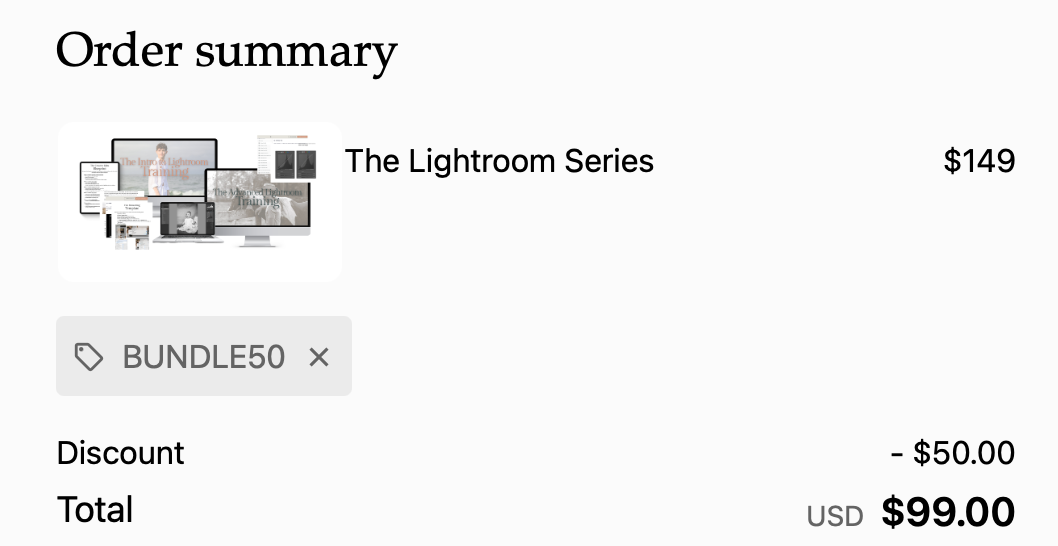
Get instant, lifetime access to the training for just $99 (regularly $149).
That’s both trainings for the price of one.
Use promo code BUNDLE50 at checkout to save $50 today. This private code is only active for the next 48 hours.

Time to Transform Your Editing.
You will create your student account, complete enrollment via private, encrypted checkout, and get instant access to all training modules immediately.
Instant Access: You will receive a login link via email immediately after checkout.
Go at Your Own Pace: Lifetime access means you can rewatch lessons anytime, anywhere, on desktop or mobile.
Something else? Send Nancy a message.